rahwanabet Casino & Sportsbook Mobile App
Access rahwanabet on your mobile device through Android APK, iOS browser, or our responsive web app. We designed our mobile experience to let you manage your account, deposit funds, and access live-dealer tables and sportsbook markets from anywhere. Mobile-first navigation means faster load times, intuitive controls, and seamless transitions between games, betting markets, and account settings.

- DownloadAPK
- LoginOTP Verification
- Installin
- StartFirst Game
Our mobile platform supports all the same features as the desktop version: live blackjack, roulette, baccarat, Dragon Tiger, and Sic Bo with professional dealers; sportsbook coverage of Liga 1, Piala AFF, Champions League, and esports markets; and slot games including Aviator, Sweet Bonanza, and Gates of Olympus. Payment methods include DANA, e-wallet, mobile banking, local payment, online payment, e-wallet, and bank transfers.
Whether you prefer a native Android app or browser-based access on iOS, rahwanabet adapts to your device. This guide covers installation paths, device compatibility, common setup questions, and security practices for mobile access.
How to Access rahwanabet on Mobile
We offer three ways to access rahwanabet on your mobile device. Choose the option that works best for your device and preferences.
Android APK
Download and install the rahwanabet app directly on Android devices. Offers offline cache, push notifications, and faster performance.
Download APKiOS Browser
Access rahwanabet through Safari or Chrome on iPhone and iPad. No installation required; works on all iOS versions.
Open in BrowserWeb App
Responsive web version works on any device with a modern browser. Syncs your account across all devices.
Access Web AppInstallation Steps for rahwanabet Mobile
Follow these steps to get rahwanabet running on your device.
-
1
Download the rahwanabet APK or open the web appDownload
For Android, download the APK file from our website or a trusted source. For iOS, open Safari and navigate to rahwanabet.app. For web access, visit the site directly.
-
2
Install the app or add to home screenInstall
For Android APK, tap the file and follow the installation prompts. For iOS, tap the share icon and select "Add to Home Screen" to create a shortcut. For web, bookmark the page.
-
3
Create or log into your rahwanabet accountRegister
Open the app or web version and tap "Create account" or "Member login". Provide your email, username, password, and mobile number. Accept the terms and verify your account.
-
4
Deposit funds and start using rahwanabetStart
Complete account verification (KYC), then deposit using DANA, e-wallet, mobile banking, local payment, online payment, e-wallet, or bank transfer. Your balance appears instantly and you can access all games and markets.
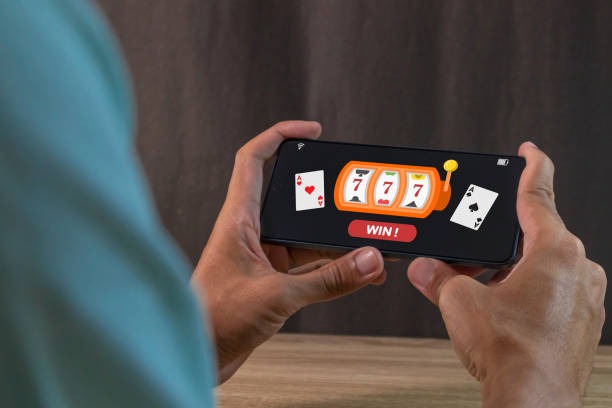
Native App vs Browser Access on rahwanabet
The Android APK app and iOS browser access both connect to the same rahwanabet account and games. The native Android app offers some advantages: offline account access (cached data), push notifications for promotions and account alerts, faster load times due to local caching, and a dedicated home screen icon. The app also handles payment redirects more smoothly and stores your login session securely on your device.
Browser access on iOS and web works equally well for all games and betting. You get the same live-dealer experience, sportsbook coverage, and payment options. Browser access syncs instantly across devices—if you log in on your phone and then on a tablet, both show your current balance and account status. Choose the app for convenience and notifications; choose browser for flexibility and cross-device sync.
Device Compatibility for rahwanabet Mobile
The rahwanabet Android APK requires Android 7.0 or later. Most devices from the past five years meet this requirement. The app works on phones and tablets with at least 100 MB of free storage. iOS browser access works on iPhone and iPad running iOS 12 or later. Web access works on any device with a modern browser (Chrome, Safari, Firefox, Edge) and an internet connection. We recommend a stable 4G or WiFi connection for live-dealer games to ensure smooth video streaming and responsive gameplay.
Common Installation Issues and Solutions on rahwanabet
If you see a warning about "Unknown sources" when installing the Android APK, this is normal. Android requires permission to install apps from outside the Google Play Store. Go to Settings → Security → Unknown Sources and enable it, then retry the installation. After installing rahwanabet, you can disable this setting again. If the APK file does not download, check your internet connection and try again. If you see a certificate warning on iOS, this is a browser security notice—tap "Continue" to proceed. If the app crashes on startup, clear your device cache (Settings → Apps → rahwanabet → Storage → Clear Cache) and restart the app. If you cannot log in, verify your username and password are correct, and check that your account has not been suspended.

Data, Permissions, and Account Security on rahwanabet Mobile
The rahwanabet app requests permission to access your device's internet connection, storage (for caching), and notifications. We do not access your contacts, photos, location, or other personal data. All data transmitted between your device and our servers is encrypted using SSL/TLS protocols. Your password is never stored on your device in plain text. We recommend enabling two-factor authentication (2FA) in your account settings for additional security. When you log out or uninstall the app, your session ends and cached data is cleared. If you lose your device, log into rahwanabet from another device and change your password immediately to secure your account. For detailed information on how we handle your data, visit our Privacy Policy
Support and Help for rahwanabet Mobile Users
If you encounter issues with the rahwanabet app or mobile access, our support team is available through in-app chat, email, and the FAQ pageWe provide multilingual support to assist users across Jakarta, Surabaya, Bandung, Medan, Semarang, and other regions. Common questions include account verification delays, payment method issues, and game access. For account verification, ensure your ID photo is clear and matches your registered name. For payment issues, confirm that your payment method (mobile banking, local payment, online payment, e-wallet, mobile banking, local payment, or bank account) is active and has sufficient balance. For game access, check your internet connection and try refreshing the app. Visit our Account Verification guide for step-by-step help with KYC setup.
We at rahwanabet built our mobile experience to be fast, secure, and accessible from any device.
Getting Started with rahwanabet Mobile
Download the Android APK, open the iOS browser, or access the web app to start using rahwanabet. Create your account, complete verification, and deposit using your preferred payment method. Access live-dealer tables, sportsbook markets, and slot games from your mobile device. Our platform is available only where local law permits—verify that access complies with your jurisdiction's regulations before creating an account.
For more information, visit our Terms and ConditionsPrivacy Policyor Legal noticeQuestions about mobile access? Contact our support team through the in-app chat or visit our FAQ page